
Free betaFor Microsoft Flight Simulator 2020 and 2024
Fly smarter. Fly lighter. Fly together.
SMARTLINK is one free companion app for everything around your flight in Microsoft Flight Simulator. Plan on the Map, switch your add-ons, fly with friends and your club, race, put instruments over the sim and keep a logbook that fills itself in.
FreeNo accountMSFS 2020 and 2024Steam or Microsoft StoreWindows 10 or 11

What's inside Four parts, one window
Everything has its place
SMARTLINK's side bar puts every part under one of four headings, so you always know where to look. Use all of it or only the part you came for. Each part works on its own.
Hangar
Before you fly
- MapEvery airport offline with its weather and runway into wind. Plan your flight right on it.
- LogbookFills itself in, with a score for every landing.
- Add-onsSwitch scenery and aircraft on and off. Nothing is ever deleted.
Crew room
Who's flying
- Group flightFly with friends from a three-letter code and see each other on the map.
- ClubsYour club's planned flights, series and leaderboards.
- ChallengesRaces and landing challenges to fly and share.
Flight deck
In the cockpit
- OverlaysThe numbers you want over the sim, plus the Flight bar.
- Voice commandsSay a command and SMARTLINK presses the key.
- RoutinesStart your apps with the sim and do things at moments in a flight.
Maintenance
Look after your sim
- Sim healthStutters, freezes and crashes, in plain words.
- Sound and pictureThe sim's sound through an equaliser, plus your ReShade looks.
Crew room Who's flying
Better with friends
SMARTLINK is built for people who fly together, whether that's three friends on a Friday or a club with a weekly series.
Group flight
Share a three-letter code and you're in. Everyone gets the leader's route, the Flight bar over the sim shows who's where and a card pops up as each pilot lands. The leader can start a race, rally, relay race, treasure hunt or landing target on the spot, or ping a place on the map for everyone.
Markers in the sim: MSFS 2024 onlyClubs
The group you fly with every week gets its own page. Plan a flight and people wait in its waiting room until it goes live. Run a series over several weeks, with standings, leaderboards, head to head and a passport of where you've all been.
Want a club for your group? Ask for its code on the SMARTLINK Discord.
Challenges
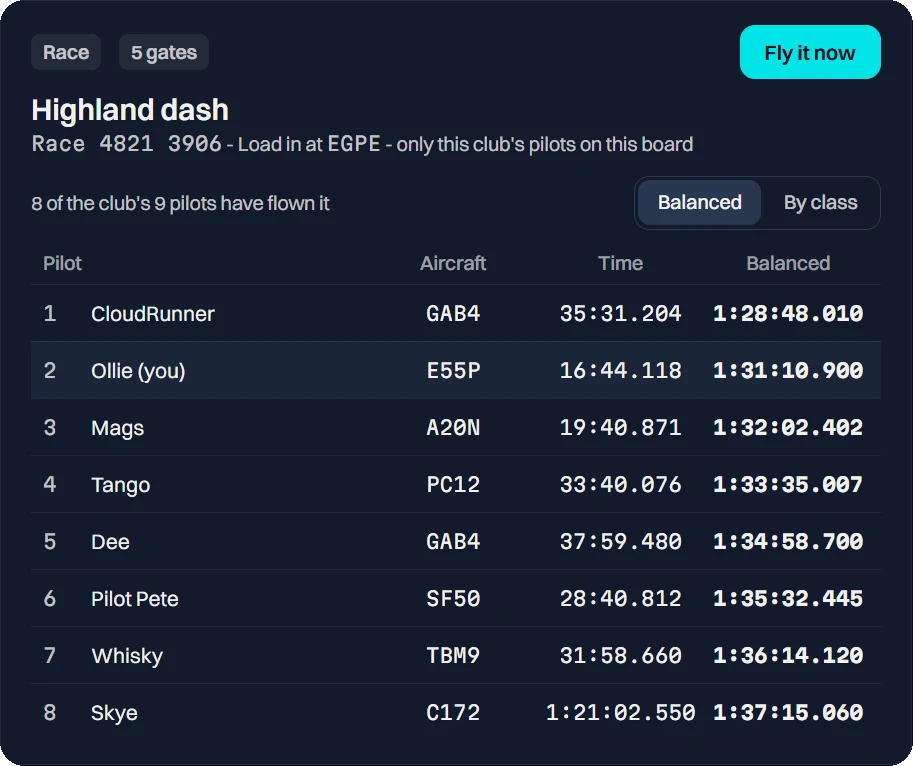
Build a race on the Map and share it by its number. Everyone who flies it goes on one leaderboard. Times are balanced by each aircraft's speed so a Cessna can beat a jet.
Hangar Before you fly
Plan it, load it, look back on it
Map
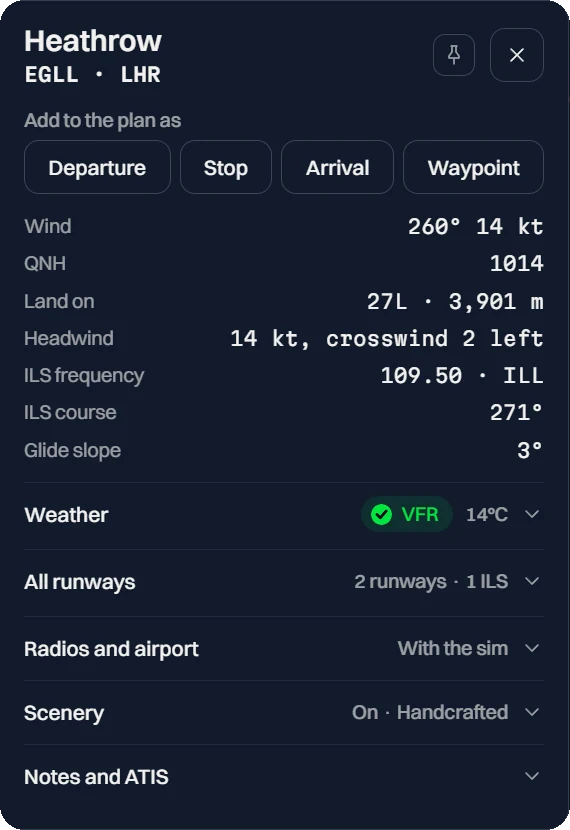
Every airport in the world, offline, with the weather now and the runway into wind. Plan your flight on the Map with SimBrief or without it, add stops and waypoints with a right-click, or press Random for somewhere new, real airline routes included. Your scenery, handcrafted airports and the pilots you fly with are all on it.
Add-ons
Manage your Microsoft Flight Simulator add-ons in one place and load only what today's flight needs: the sim starts faster and uses less memory. Switching an add-on off removes its link from Community, never its files. Keep sets for the way you fly and rules so a scenery and its library always come on together.
Logbook
Every flight is written down for you: the route, the times, the fuel and a score for the landing. Stamp a passport for each country you land in and share a card of any landing.
Flight deck In the cockpit
Over the sim, under your voice
Overlays
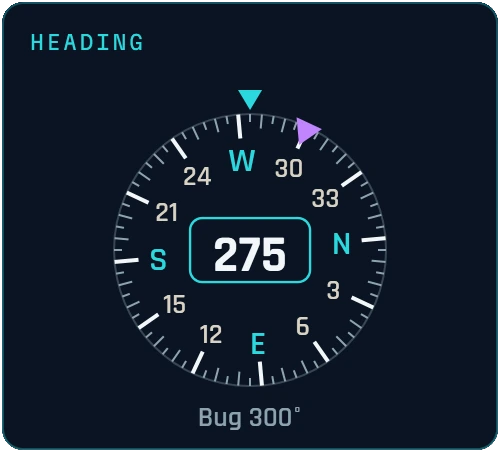
Dozens of instruments to put over the sim, from airspeed and wind to fuel at destination and the next gate in a race. Each comes small, medium or large and sits where you drop it. Save sets for the ground, the climb or a race and switch them with one key.
Voice commands
Hold your push-to-talk key, say "landing lights on" and the lights come on. Speech is recognised on your PC with no internet needed. It only listens while you hold the key.
Routines
Start your apps with the sim. Then let SMARTLINK do the routine stuff at the right moment: set the altimeter to standard climbing through 10,000 ft, or make a 1,000 ft call on the approach.



Maintenance Look after your sim
Keep the sim running sweetly
Sim health
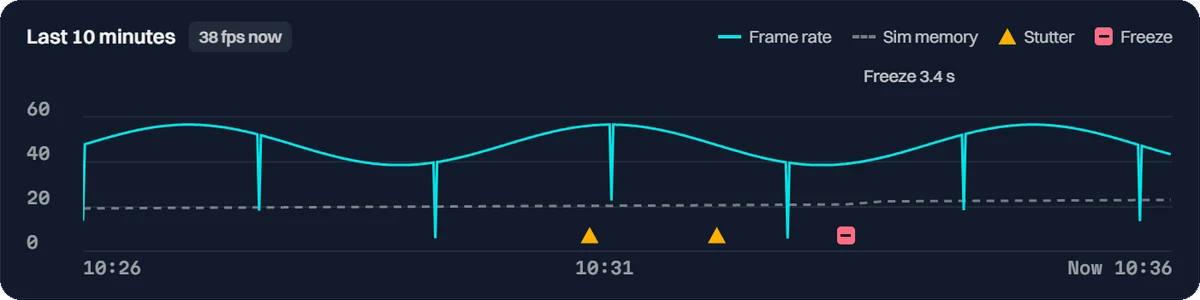
When the sim stutters, freezes or crashes, Sim health says what happened in plain words and what was running at the time. Crash finder tracks down the add-on behind a crash by switching them off half at a time, then puts every one back. On a day when lots of pilots are crashing, Home tells you it's most likely the sim.
Sound and picture
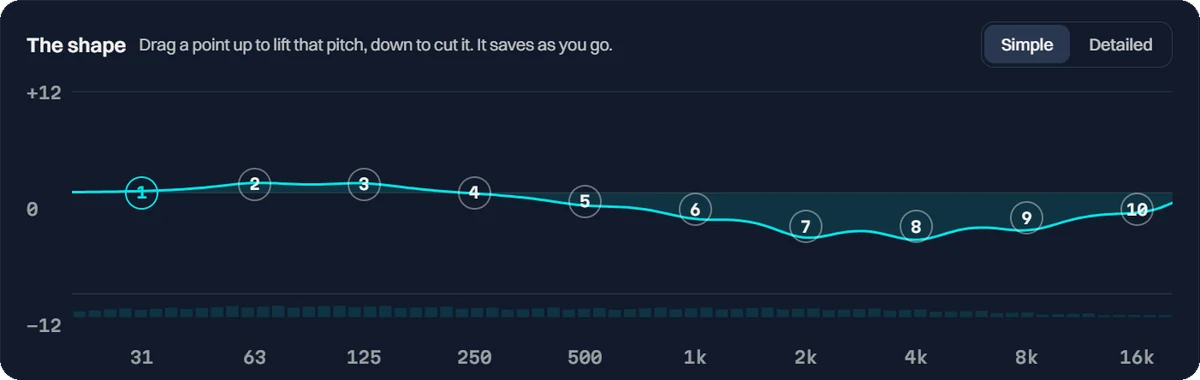
Play the sim's own sound through an equaliser, with a starting sound for each kind of aircraft tuned to what you listen on. It rides out a stutter instead of cutting out. Switch ReShade presets or your screens' colour by hand, or let them change at sunrise and sunset.
New in 0.5 6 and 7 November
A fresh look and a lot more to fly
One side bar with everything grouped, clearer lists and filters plus new names that say what each part does.
Plan your flight on the Map itself, with a simpler airport card.
Build a race on the Map and share it by its number. One leaderboard for everyone, with times balanced so any aircraft can win.
The leader can start a race, rally, relay race, treasure hunt or landing target on the spot, with live results in the app and along the bottom of the sim.
Standing groups are now clubs, with planned flights, a waiting room and their own races and challenges.
Change any rule's numbers. New starting challenges arrive without an update.
One search across the app that understands other words and typing slips.
Sets are back. Ready to delete removes an add-on safely.
0.5.2Small airfield codes like C53 no longer leave the Map blank, a plan keeps up to 20 airports and buttons work on the first click again.
The rules it's built to
It's your sim. We treat it that way.
Free, no account
Download it and use all of it. If you enjoy it, you can chip in towards the server from inside the app.
Nothing deleted
Switching an add-on off never touches its files. Moving your library keeps the old copy until you delete it yourself.
Yours stays yours
Your voice and your logbook stay on your PC. Nothing is shared unless you choose to share it.
Light on your PC
Close the window and it carries on in the tray, using 0.03% of your PC's processor. Overlays only ask the sim for numbers while they're on.
Updates keep everything
A pill on the side bar tells you when there's a new version. Your settings, flights and layouts are all still there afterwards.
Finds your sim itself
Steam or Microsoft Store, 2020 or 2024. There's nothing to point it at before you start.
Questions
Before you ask
Where did WingLink, VoiceLink and Dispatch go?
They're all still there, with names that say what they do:
- WingLink
- Group flight, plus the Flight bar over the sim
- Standing groups
- Clubs
- Dispatch
- The Map, where you plan
- Hangar's library
- Add-ons
- VoiceLink
- Voice commands
- Debrief
- The Logbook
- AV
- Sound and picture
Is it really free?
Yes. Every part of it, with no account and nothing to unlock. There's a Donate button in the app if you'd like to help pay for the server that runs group flights, but nothing changes whether you use it or not.
Is it finished?
Not yet: SMARTLINK is in beta. A group of testers tries each new version before it comes to everyone, but you may still find rough edges. Tell us from the Feedback page in the app or on the Discord.
Does it work with MSFS 2020 and 2024?
Yes, both, from Steam or the Microsoft Store. If you have both on one PC, Add-ons can share one copy of your add-ons between them. A few things, like the markers in the sim and learning a control from the cockpit, are MSFS 2024 only because only 2024 offers them.
Do I need SimBrief?
No. SimBrief makes the briefing richer, but you can plan from just the airports, load a .pln file or press Random. Everything else works without a plan at all.
Will it mess up my Community folder?
No. Your add-ons move into a library folder and SMARTLINK leaves a link in Community for each one that's on. Switching one off removes the link, never the files. Links other apps made are shown and never touched. Nothing moves while the sim is running.
Do my friends need it to fly with me?
Yes, everyone in a group flight needs SMARTLINK. It doesn't matter whether they're on 2020 or 2024. Pilots post flight codes in the SMARTLINK Discord if you're looking for company.
Will it slow my sim down?
Staying light is SMARTLINK's first rule and it's measured before releases. In the tray it uses next to nothing. Fewer add-ons switched on usually means the sim loads faster.
How do I manage my Microsoft Flight Simulator add-ons?
Open Add-ons in SMARTLINK and switch your scenery and aircraft on and off in one place. Keep sets for the way you fly and rules so a scenery and its library always come on together. Load only what today's flight needs and the sim starts faster and uses less memory.
Can I turn off MSFS add-ons without deleting them?
Yes. Switching an add-on off removes its link from your Community folder and never touches its files, so you can switch it back on whenever you want it.
How do I fly with friends in MSFS 2020 or 2024?
Share a three-letter code in Group flight and you're in. Everyone gets the leader's route and sees each other on the map. The Flight bar over the sim shows who's where. Everyone needs SMARTLINK, but it doesn't matter whether they're on 2020 or 2024.
How do I find which add-on is crashing MSFS?
Crash finder in Sim health tracks down the add-on behind a crash by switching them off half at a time, then puts every one back. When the sim stutters, freezes or crashes, Sim health also says what happened in plain words and what was running at the time.
Is there an automatic logbook for Microsoft Flight Simulator?
Yes. SMARTLINK's Logbook writes every flight down for you: the route, the times, the fuel and a score for the landing.
Can I put instrument overlays over the sim?
Yes. There are dozens to choose from, from airspeed and wind to fuel at destination. Each comes small, medium or large and sits where you drop it. Save sets for the ground, the climb or a race and switch them with one key.
Can I use voice commands in Microsoft Flight Simulator?
Yes. Hold your push-to-talk key, say "landing lights on" and the lights come on. Speech is recognised on your PC with no internet needed and it only listens while you hold the key.
Getting it
Up and running in three steps
- Download and run the installerIt installs just for you and never asks for administrator.
- Windows may warn youSMARTLINK isn't signed with a paid certificate yet, so Windows may say "Windows protected your PC". Choose More info, then Run anyway.
- Set your pilot nameIt's the name other pilots see. If Windows asks for .NET 8, follow its link: it's free, from Microsoft.
Beta. Things change from one version to the next. Your settings, flights and layouts are kept through every update.
Find people to fly with
The SMARTLINK Discord has a guide to every part of the app, help when you're stuck, a place for ideas and flight codes posted by pilots looking for company.
Join the DiscordWatch how it works
There's a video tutorial for every part of the app on YouTube, from the Map to the overlays.
Watch the tutorialsGet linked
One free app for everything around your flight. Start with the part you came for.